
Software
Internal Tools Development: What to Build First
The best internal tool candidates are already visible: shared spreadsheets, weekly database requests, repeated copy-and-paste work, and staff waiting on engineering for routine answers. Start with the workflow that consumes the most team time, then choose low-code or custom based on risk and complexity.
By Umar HayatChief Technology Officer, Algo Vortex
Updated
Key takeaways
Follow recurring manual work
Shared spreadsheets and repeated engineering requests reveal proven demand. Rank those workflows by time lost and number of people affected.
Payback is measurable here
Unlike most software, you can count the hours saved. That makes the business case easy and the prioritisation obvious.
Permissions and audit early
Internal tools touch customer data and take real actions. Roles and an audit trail belong in the first version, not the third.
Low-code until it is load-bearing
A platform is right for the first version of most tools. Move to custom when it becomes critical or the platform starts fighting you.
How do you decide what to build first?
Start internal tools development with recurring work that already consumes staff time: shared spreadsheets, repeated database requests, manual reconciliation, or copy-and-paste updates. Rank candidates by hours lost and people affected. That gives you a defensible first tool and avoids building an admin panel nobody asked to use.
Then follow the requests that come to engineering. If someone on your team runs a database query once a week because a colleague asked, that is a tool waiting to be built. It costs engineering time every week and it makes the requester wait, which usually means they ask less often than they should.
Rank by hours saved per week multiplied by the number of people affected. Internal tools have the rare property that the return is directly countable, which makes prioritising them a calculation rather than an argument. A tool that saves four people three hours a week is worth more than one that saves one person a day, even though the second one is who complained.
Discount anything you are building because it seems like it should exist. Internal tools nobody asked for get used once and abandoned, and the maintenance cost continues regardless.
When is a low-code platform enough?
For the first version of most internal tools, it is enough and it is the right choice. A platform gets you a working interface over your database in days rather than weeks, which means you learn whether the tool is actually useful before investing properly in it.
Platforms work well when the tool is essentially reads and simple writes over data you already have, when the user count is small, when the permission model is straightforward, and when downtime is inconvenient rather than serious. That describes a large share of internal tooling.
They start to fight you in predictable places. Complex multi-step workflows with state. Permission rules that do not fit their model. Any performance requirement on large datasets. Interfaces that need to be genuinely fast for someone using them all day. And the moment the tool becomes load-bearing enough that its availability matters.
Watch the cost too. Per-seat pricing on internal platforms is reasonable at ten users and can become surprising at two hundred. Run that arithmetic before rolling something out company-wide rather than after.
Situation
First version, unproven need
Low-code platform
Yes
Custom build
Premature
Situation
Reads and simple writes
Low-code platform
Yes
Custom build
Overkill
Situation
Complex stateful workflow
Low-code platform
Fights you
Custom build
Yes
Situation
Unusual permission rules
Low-code platform
Fights you
Custom build
Yes
Situation
Used all day by a team
Low-code platform
Too slow
Custom build
Yes
Situation
Business-critical availability
Low-code platform
Risky
Custom build
Yes
Situation
Hundreds of users
Low-code platform
Seat cost adds up
Custom build
Usually cheaper
| Situation | Low-code platform | Custom build |
|---|---|---|
| First version, unproven need | Yes | Premature |
| Reads and simple writes | Yes | Overkill |
| Complex stateful workflow | Fights you | Yes |
| Unusual permission rules | Fights you | Yes |
| Used all day by a team | Too slow | Yes |
| Business-critical availability | Risky | Yes |
| Hundreds of users | Seat cost adds up | Usually cheaper |
Why do permissions and audit matter so much here?
Because internal tools are where the powerful actions live. Issuing a refund, changing a price, editing a customer record, exporting a list of users, overriding a hold. These are exactly the operations that need to be restricted and recorded, and internal tools are consistently the least governed software in a company.
Build roles into the first version. Not an elaborate permission framework, just enough to distinguish who can read from who can act, and to keep the destructive operations behind a narrower role. Retrofitting authorisation into a tool that already has users is meaningfully harder than including it, because you have to work out what everyone currently does.
Log every action with the actor, the timestamp, the record affected, and the before and after values. This costs almost nothing to add and it answers the questions that eventually get asked: who changed this customer's credit limit, when did this order status change and why, who exported this list. Without it those questions have no answer.
Be deliberate about data exposure. An internal tool that displays full payment details or complete personal records to everyone who can log in is a data protection problem regardless of how much you trust your staff. Mask by default and require a reason for the full view.
Why do internal tools get abandoned?
Because they were built for the data model rather than the task. A tool that presents one screen per database table forces the user to hold the process in their head and click between five places to do one thing. People go back to the spreadsheet, which at least let them see everything at once.
Build around the workflow instead. If the job is processing a refund request, one screen should show the order, the customer history, the payment, and the action, because that is what the person needs in front of them to decide. The fact that those live in four tables is an implementation detail.
Make the common path fast. Internal tools are used repetitively by the same people, which means keyboard shortcuts, sensible defaults, and bulk actions matter far more than they do in consumer software. Someone processing two hundred items a day will notice every extra click and will resent it correctly.
And show them the tool while it is being built. Internal users are available in a way customers are not, which is one of the genuine advantages of this work. Two conversations during the build prevents the version that gets politely ignored.
What happens when the underlying data is bad?
The tool surfaces it, immediately and visibly, and this is one of the underrated benefits. Data problems that were invisible while everything lived in spreadsheets become obvious the moment something reads them systematically. Expect to find duplicates, missing required values, and records that contradict each other.
Plan for that rather than treating it as a blocker. Build the tool to handle imperfect data gracefully, showing what is missing rather than failing, and add a way for the people using it to correct records as they encounter problems. Staff fixing data as part of their normal work is far more effective than a cleanup project nobody owns.
Add validation at the point of entry once you know what is wrong. Preventing new bad data is cheaper than repeatedly cleaning it, and the tool is the natural place to enforce it.
If the data problem is structural rather than dirty, meaning the model itself does not describe the business, that is a bigger conversation. Legacy system modernization covers what to do when the underlying system is the constraint.
What does internal tooling cost?
Less than customer-facing software, because a lot of the expensive work is absent. No marketing site, no onboarding funnel, no support for five browsers on twelve devices, no design polish for people who have not decided to trust you yet, and a user base you can train directly.
A focused single-purpose tool often runs $15,000 to $40,000 as a custom build. A broader internal platform covering several workflows with real permissions and audit typically lands $40,000 to $90,000. Building the first version on a low-code platform can be a fraction of that, which is exactly why it is a sensible way to test the need.
The return is unusually easy to state. Count the hours currently spent on the manual process, attach a salary, and compare. Internal tools that save a team a day a week pay for themselves inside a year with a margin wide enough that the estimate does not need to be precise.
Custom software development cost covers the wider bands, and custom software development is the commercial path.
Next step
Which manual workflow costs your team time?
Send the spreadsheet, recurring request, or back-office process. We will tell you whether low-code or custom fits and define the smallest useful release.
Talk to Algo VortexRelated in this cluster
- Custom software developmentCustom software earns its keep when your workflow does not fit a vendor tool, or when that workflow is the product customers buy. Here is how to decide, what a serious engagement includes, and how to ship something your team can still run after launch.
- Custom software development costCustom software cost follows scope, integrations, data, and the team needed to keep it running. A useful estimate separates the first production release from hosting, maintenance, and later changes. This guide explains the cost drivers already hiding inside most briefs.
- Legacy system modernizationLegacy system modernization works best when you replace one capability at a time and keep the old system available until the new path is proven. Before touching code, confirm that the system creates a real hiring, security, operating, or delivery problem. Old alone is not a reason.
- Custom software vs off-the-shelfBuy software when a vendor already handles the job well. Build when the workflow itself sets your business apart or the workaround cost keeps climbing. Many teams need both: a proven product for standard work and a custom layer for the part that is uniquely theirs.
Related capabilities
Related case studies
Live products where this kind of work showed up in the build.
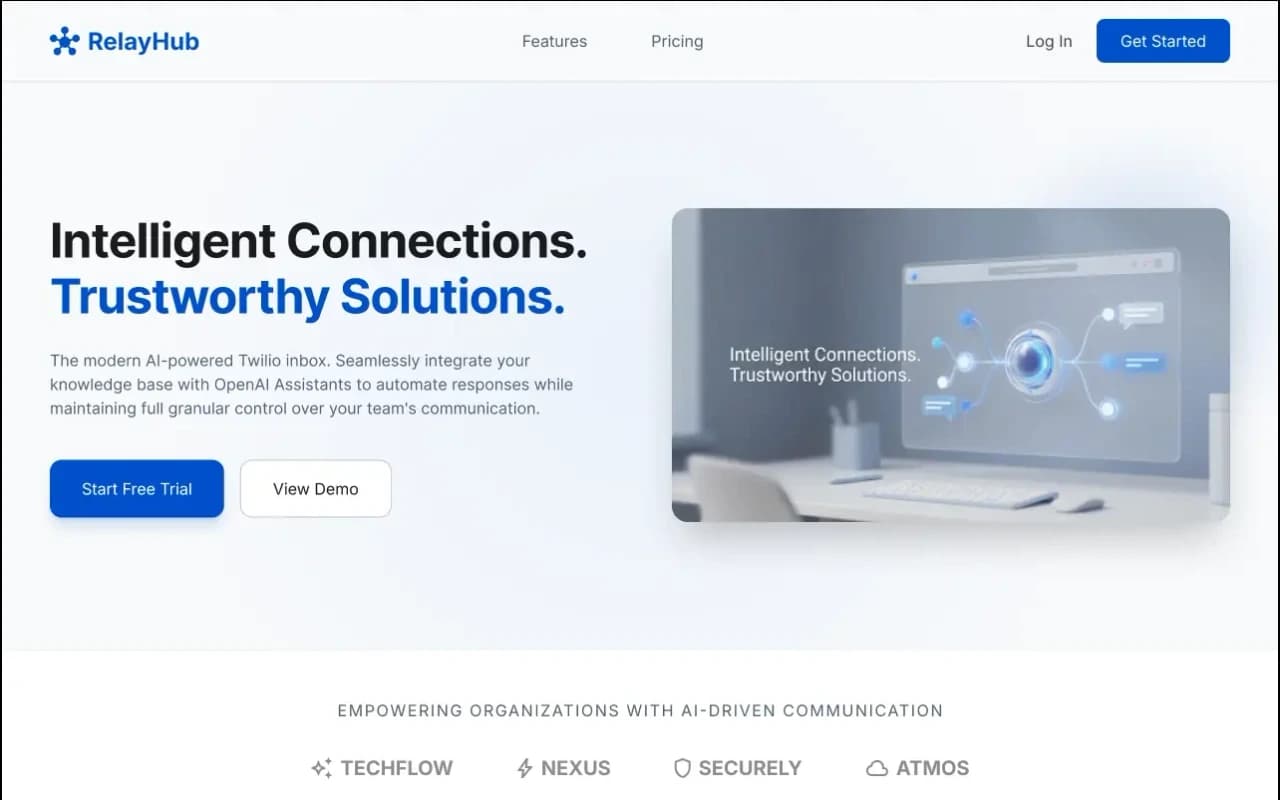
RelayHub AI communication portal case study
Twilio + OpenAI shared inbox
One triage view for Twilio phone and digital threads, with OpenAI drafts under admin prompts. Built for teams tired of rebuilding context across tools.
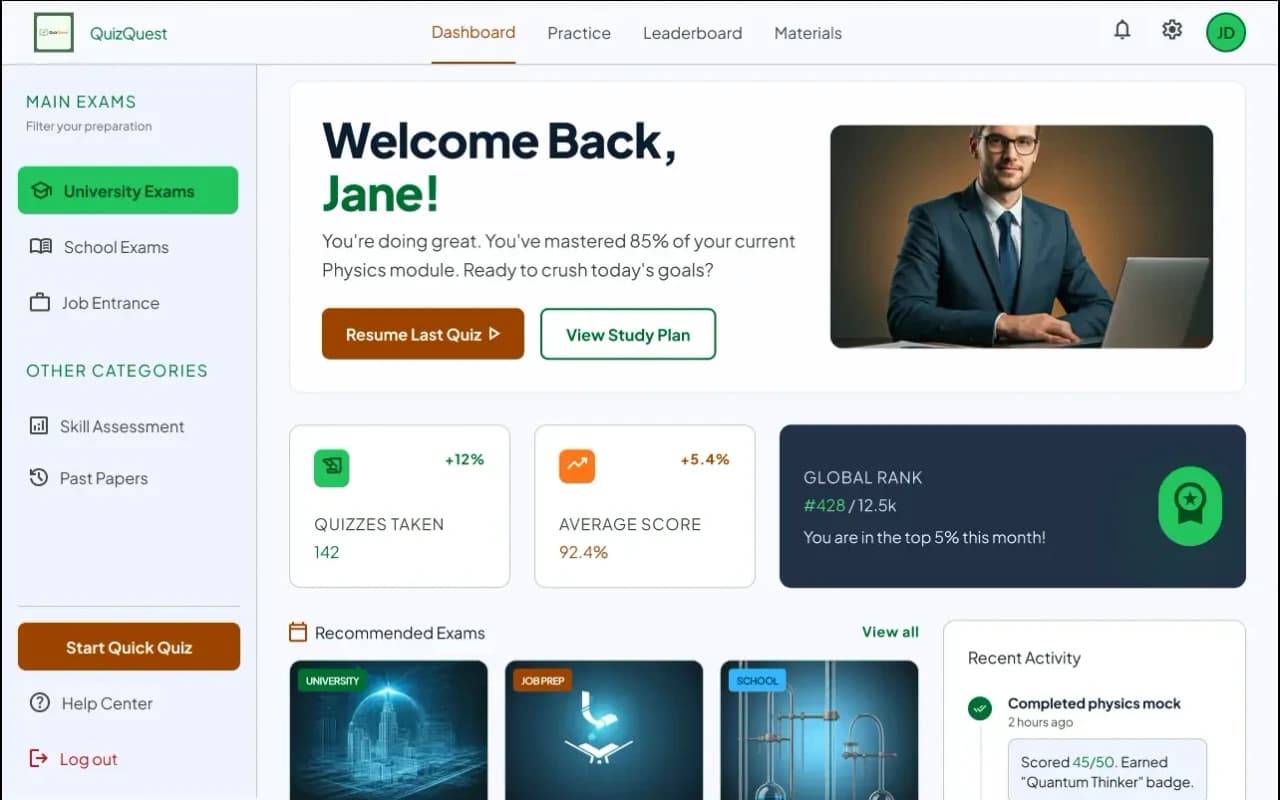
QuizQuest timed assessment platform case study
Timed quizzes + Question Creator
Timed MCQs with instant feedback, topic mastery profiles, and a Question Creator instructors can publish without waiting on engineering.
Questions
More on all insights, custom software, or contact Algo Vortex.