
RelayHub AI communication portal case study
Twilio + OpenAI shared inbox
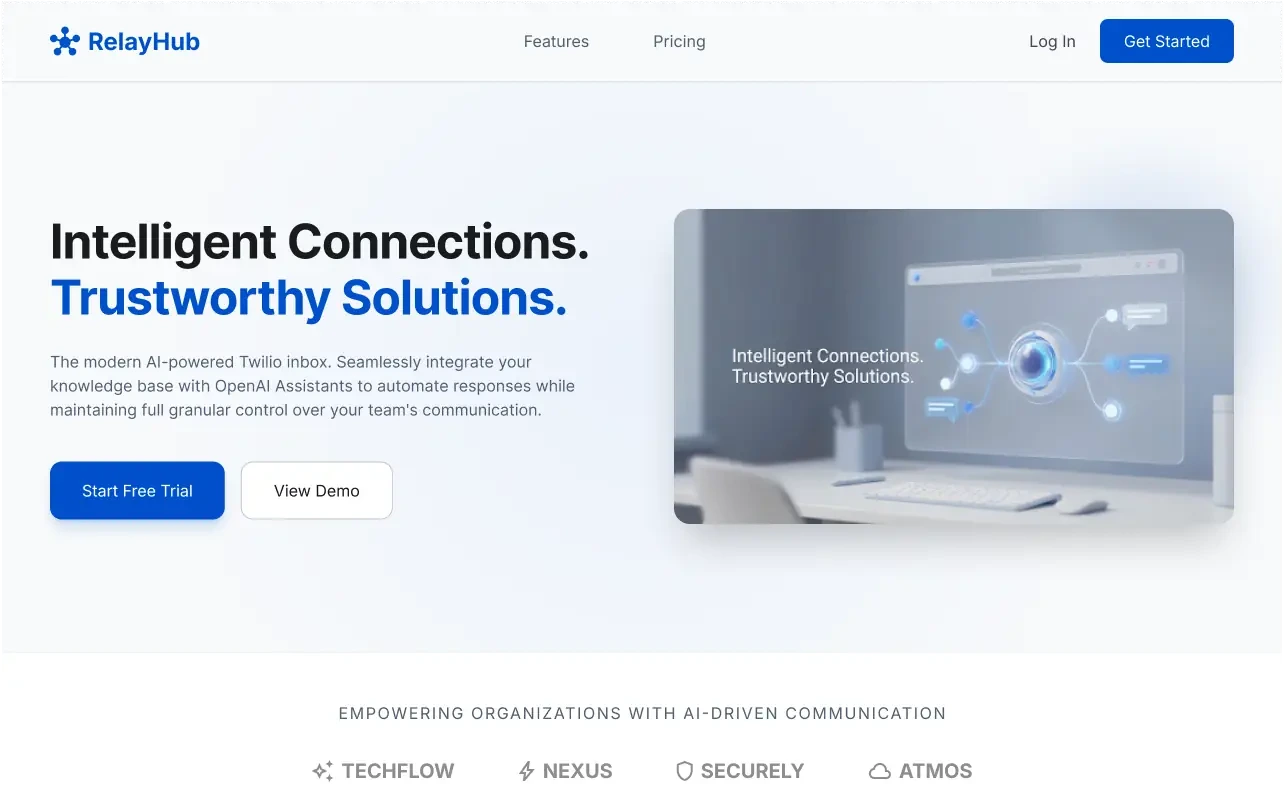
RelayHub is an AI communication portal that ties Twilio numbers to OpenAI assistants. Teams share one inbox for phone and digital channels, steer replies with admin prompts per contact group, and turn uploads into short digests everyone can read before the next handoff.
Project intent
RelayHub is an AI communication portal for teams that still treat phone and chat as separate products. Sales and support were losing the thread every time a caller switched to SMS or opened a chat widget. The brief was blunt: one shared inbox. Twilio traffic and digital messages land together. OpenAI clears routine drafts so people only jump in when judgment matters.
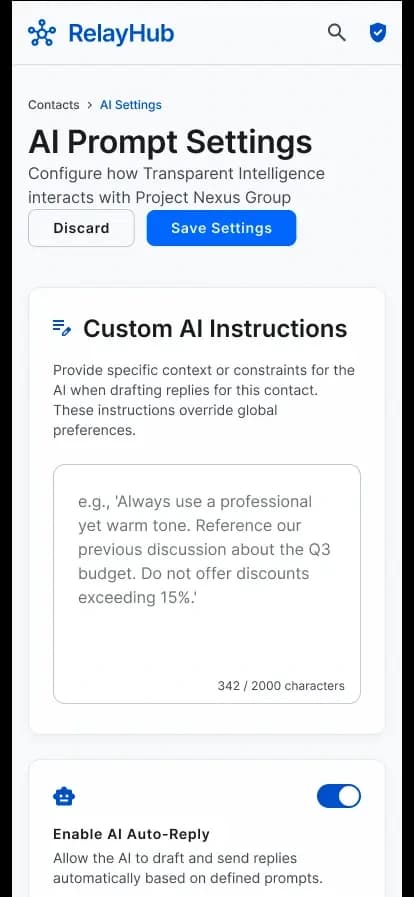
Admins also needed to steer the assistant without shipping a new build every time the script changed. Prompt rules per contact group were in scope from day one. File digests mattered too. Long PDFs and call notes piled up unread while agents guessed which page mattered. The product needed a path from upload to a short summary the whole group could scan before the next shift.
We never treated full auto-reply as the goal. Refund fights, tone-sensitive replies, and messy exceptions still need a human. RelayHub uses OpenAI to draft, summarize, and clear the easy queue so senior staff spend time on work that actually needs them.
Challenge
Support and sales lived in separate phone trees, SMS threads, and chat tools. Nobody owned the full conversation. A customer might call in the morning, text at lunch, and open a chat widget after hours. Each channel had its own queue. Handoffs meant copy-paste. The next agent rebuilt context from scraps, so response times slipped for reasons that looked like staffing problems when they were really tooling problems.
Attachments made it worse. Contracts, screenshots, and voice-mail transcripts sat in email or drive folders. An AI helper without guardrails was risky. Without per-group rules, drafts sounded generic or wandered off-brand. The team needed automation inside admin controls, not a model that answered every contact the same way.
Ops also lacked a place to see when Twilio webhooks stalled or a model call started timing out. Failures showed up as angry customers, not dashboards. Monitoring had to ship with the inbox features, or the product would look fine in demos and fall apart on a busy Monday.
Solution
We shipped a React Native app plus a web console on Django and FastAPI. Twilio webhooks land in one inbox. OpenAI drafts replies under prompt rules you control per contact group. Amazon S3 stores attachments. A digest flow turns uploads into short summaries the team can share in seconds. Sentry and CloudWatch watch errors and load so ops can see when a webhook or model call starts failing.
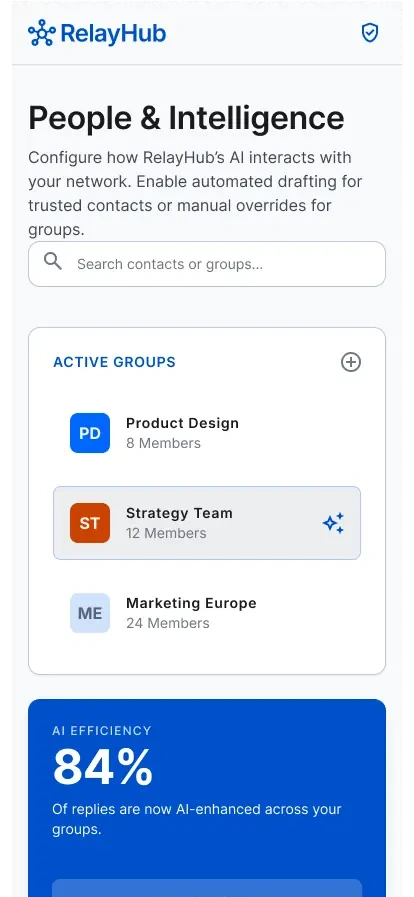
Mobile is on the App Store and Play Store. The console runs on Vercel. APIs sit on EC2 and ECS with Docker. Contact groups, prompt settings, and knowledge uploads live in the same product, so admins change behavior without waiting on a release train. Humans still own escalations. The AI clears routine replies and digests so the hard calls get attention sooner.
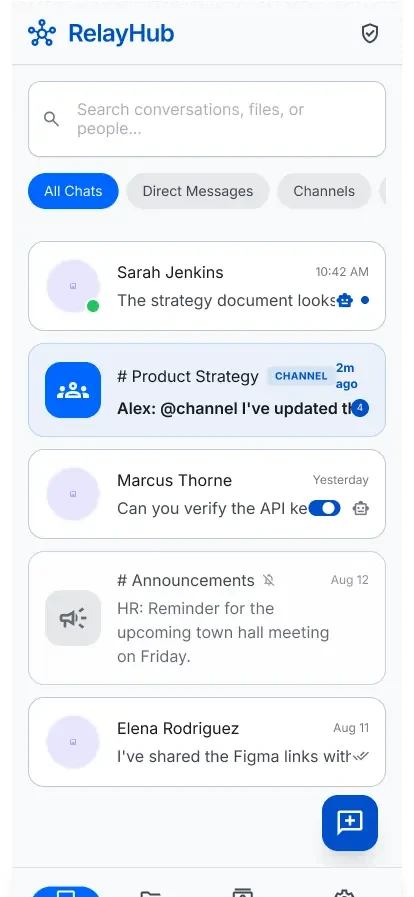
Mobile and console share the same conversation model. An agent can pick up a thread on phone after an admin adjusts prompts on web, with no sync ritual. On-call staff live in React Native. Ops leads live in the browser. Both need the same truth.
Architecture
Inbound Twilio events hit webhook endpoints on the FastAPI and Django services. Those services normalize phone and digital messages into a shared conversation model in PostgreSQL. The inbox API returns threads to both the React Native client and the web console. When a draft is needed, the service loads the contact group prompt, recent messages, and any knowledge digests, then calls OpenAI and stores the draft for review or auto-send based on admin rules.
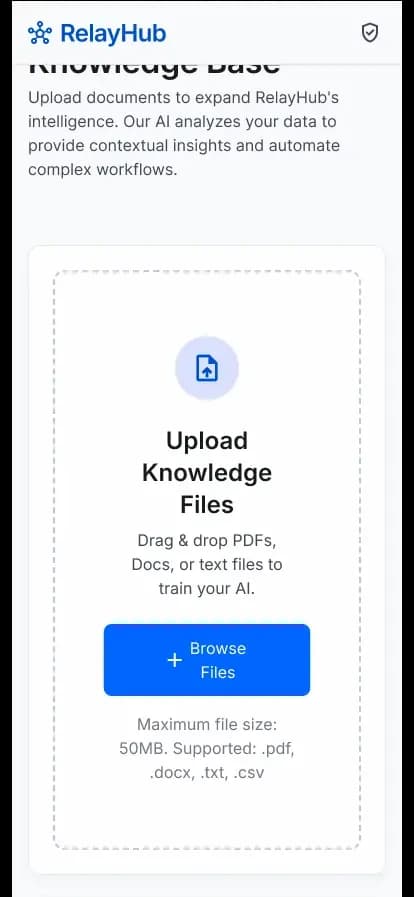
Attachments go to Amazon S3. A background job extracts text, asks the model for a short digest, and attaches that summary to the thread. The Vercel-hosted console talks to the same APIs as mobile. Containers on ECS handle traffic spikes from webhook bursts. CloudWatch metrics and Sentry error events sit beside the deploy path so a bad prompt or a Twilio outage shows up before the queue fills with silent failures.
Auth, contact groups, and prompt configuration stay in Django, where admin workflows are strongest. FastAPI covers the hot path for inbound events and draft generation, where latency and concurrency matter more. Both services share PostgreSQL so the inbox never forks into two truths. Docker images and ECS services keep rollouts repeatable when traffic or model usage grows.
Security and access
Auth and admin controls live in Django. Contact groups and prompt settings sit behind roles so not every operator can rewrite every assistant script. Twilio webhooks verify signatures before messages enter the inbox. Attachments go to Amazon S3 with references in PostgreSQL, not loose email threads.
OpenAI draft calls load the scoped contact-group prompt and conversation context for that thread. Humans still review drafts when admin rules require it before sensitive sends. Sentry and CloudWatch surface webhook failures and model errors so ops can catch problems before the queue fills with silent misses.
Key features
- Shared inbox for phone, SMS, and chat threads in one triage view
- Admin prompt rules scoped to contact groups
- File uploads that become short digests the team can reuse
- React Native clients on App Store and Play Store
- Web console on Vercel with Django and FastAPI backends
- Sentry and CloudWatch visibility for webhooks and model calls
Results
- Phone and digital channels share one triage workflow
- AI drafts replies with admin-controlled prompts and contact groups
- Uploads become short digests the team can share in seconds
- Production visibility through Sentry and AWS CloudWatch
Product screens
Technology stack
Related services
- AI & Data InnovationGenerative AI, ML, and data pipelines that land in products people use, not pilots that die on a slide deck.
- Web & Mobile DevelopmentReact, Next.js, Flutter, or React Native apps fast enough for daily use and solid enough to grow.
- Cloud & DevOpsAWS, Azure, or GCP with CI/CD and automation so releases stay boring in the good way.
Frequently asked questions
Want to talk through a similar build? Contact Algo Vortex or browse the full FAQ.